mdez
MDEZ++
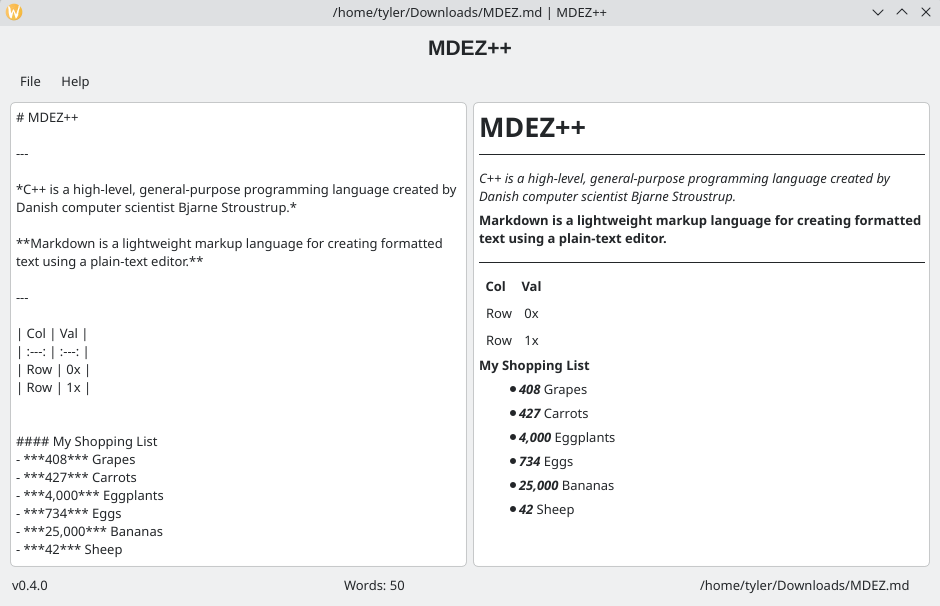
MDEZ++ (mdez) is an open-source, lightweight, cross-platform C++20 and Qt GUI Markdown editor. Instead of a WYSIWYG editor, MDEZ++ renders a real-time live preview of your text in a split-screen pane using a fast, native, and minimal GUI.


Usage
Write raw Markdown on the left to preview rendered text on the right.
New to Markdown? Check out this cheat sheet!
Keyboard Shortcuts
| Action | Shortcut | Description |
| :—: | :—: | :—: |
| Open File | Ctrl / Cmd + O | Open an existing document |
| Save As | Ctrl / Cmd + Shift + S | Save the current document under a new name or location |
| Save | Ctrl / Cmd + S | Save changes to the current document |
Downloads & Installation
Currently, no installation is required! All you need to do is download and open the appropriate portable, pre-compiled binary for your operating system.
| Linux | Windows | macOS |
|---|---|---|
| MDEZ++ AppImage | MDEZ++ Windows Executable | Not Supported |
Note for Linux Users
You must mark the standalone AppImage as executable before it can be run!
chmod +x MDEZ++-x86_64.AppImage
Note for Windows Users
If you do not know what to do with the zip file, follow these steps.
- Download mdez-windows.zip and extract it
- Open the extracted folder, navigate to build -> Release, and then run the file named
mdez-windows.exe(the file extension may not be automatically shown for you) - If a SmartScreen window is displayed:
- Click More Info under the text
- Click the Run Anyway button at the bottom
- Note: This is normal behavior for open-source software not signed with a commercial Microsoft developer key
Contributing
Contributions are what make open-source projects important. All contributions are highly appreciated
- Found a bug or issue: Open an Issue and show the output of the script, the steps to reproduce it, and as much information as possible
- Have an idea: Open an Issue and explain your idea as much as possible, why you think it would be a good addition to the project, and any other important information.
Security
For information on reporting security vulnerabilities in MDEZ++, see SECURITY.md
License
This project is licensed under the MIT License - see the LICENSE file for more information.